Speech Recognition in AI Development: How It Works and Its Uses
Quick Answer
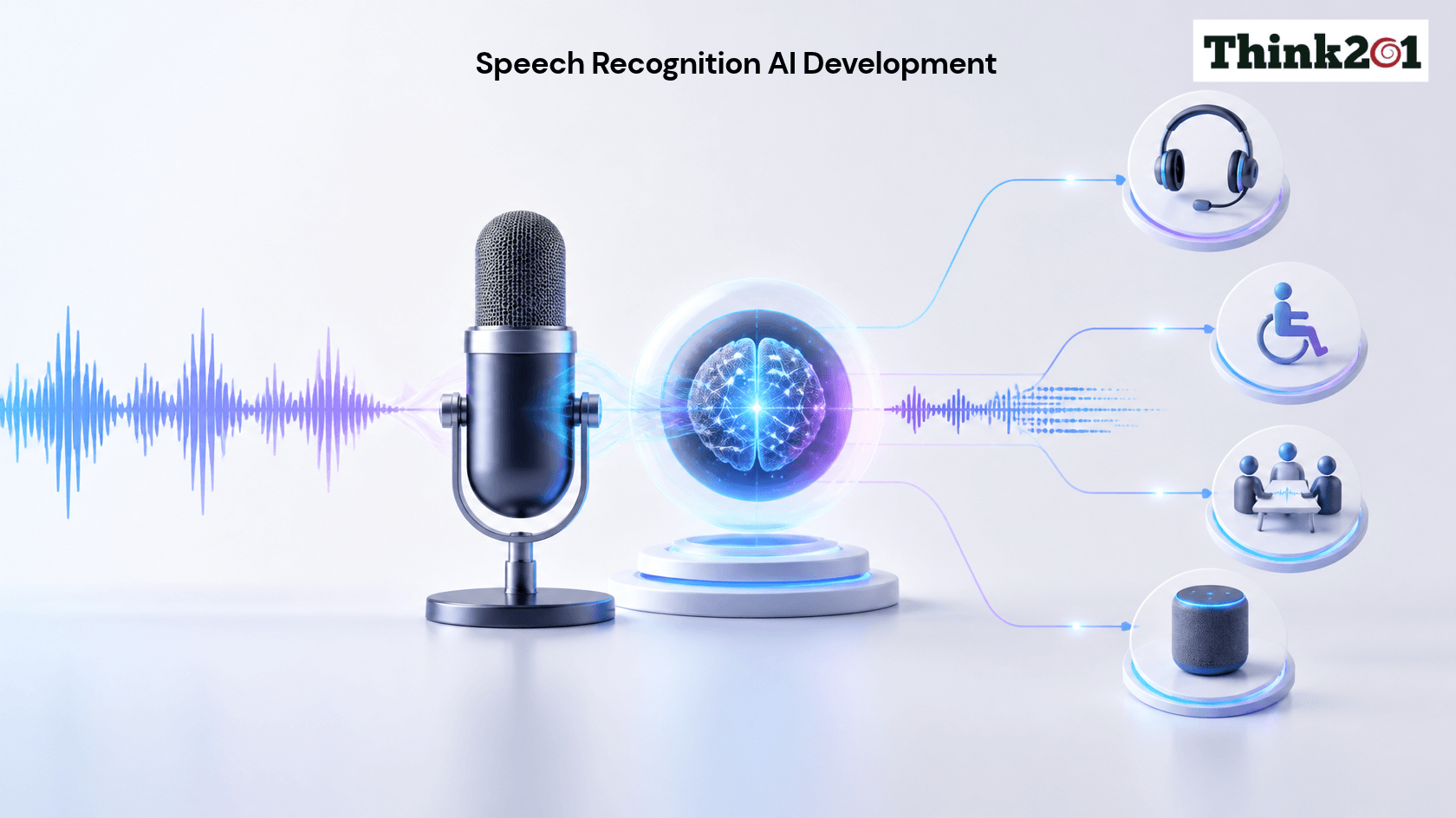
Speech recognition is an AI technology that allows computers and digital devices to understand spoken words and convert them into text or commands. It is used in voice assistants, customer support systems, meeting transcription tools and hands‑free applications. AI speech recognition uses machine learning and language processing to understand voices, accents and speaking styles. Businesses use it to make applications easier to use, complete tasks and improve customer experiences.
What Is Speech Recognition?
Speech recognition is the process of converting spoken language into text that a computer can understand. It allows people to interact with devices using their voice instead of typing or clicking.
For example, when you ask your phone to set an alarm, the device listens to your request and identifies the words. This is a simple speech recognition example.
Traditional speech recognition systems relied on predefined rules and limited vocabulary. Modern systems use intelligence (AI), machine learning, and deep learning to recognise speech more accurately.
AI speech recognition can process accents, speaking speeds and sentence structures. Some advanced systems can also understand context, identify speakers and work with languages.
How Does AI Speech Recognition Work?
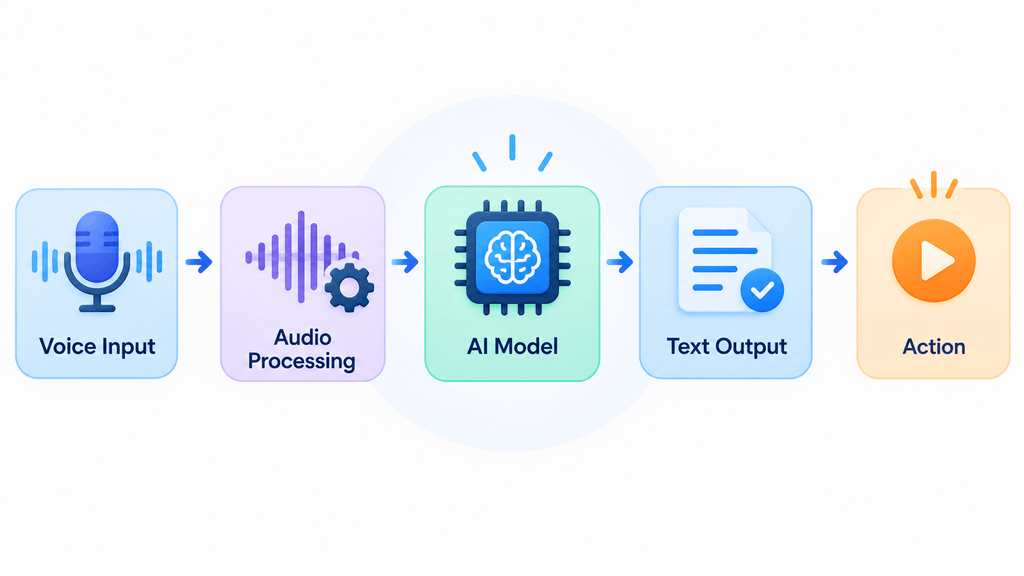
AI speech recognition follows steps to convert spoken words into useful information. Each step helps the system process audio. Identify what the speaker is saying.
1. Capturing the Audio
The process starts when a microphone or recording device captures a person’s voice. The system receives this audio as a signal.
The quality of the recording matters. Background noise, unclear speech and microphone quality can affect how accurately the system recognises words.
2. Processing the Audio
The system prepares the audio before analysing it. It may reduce background noise, adjust levels and identify the parts of the recording that contain speech.
This helps the AI focus on the speaker’s voice and filter out unwanted sounds.
3. Identifying Speech Sounds
The AI model analyses the audio and identifies speech patterns. It breaks language into smaller sound units, often called phonemes.
For example, it examines how different sounds connect to form words. This step helps the system recognise words even when people speak at different speeds.
4. Converting Speech into Text
The system uses its trained model to identify the likely words from the audio. It considers patterns and language context to produce a written transcript.
For example, if someone says “Schedule a meeting for Monday “, the system converts the sentence into text.
5. Understanding the Meaning
Some speech recognition applications also use natural language processing (NLP) to understand what the speaker wants.
For example, a voice assistant may identify “play music” as a request to start playing audio. It can then send the command to the application.
Speech recognition and language understanding are different tasks. Speech recognition identifies the words, while language processing helps interpret their meaning.
What Are the Two Types of Speech Recognition?
Speech recognition systems are commonly grouped into two types based on how they process spoken language.
1. Speaker‑Dependent Speech Recognition
Speaker‑dependent systems are trained to recognise the voice of a person. They may require the user to repeat words or phrases during setup.
These systems can work well when one person regularly uses the device or application. However, they may not perform well when another person tries to use them.
Example: A voice‑controlled system configured to recognise commands from a user.
2. Speaker‑Independent Speech Recognition
Speaker‑independent systems are designed to recognise speech from people without requiring individual voice training.
They use models trained on speech samples from speakers. This helps them handle differences in accents, pitch and speaking styles.
Example: A customer support voice system that understands requests from callers.
These two categories describe how systems handle speakers. Other classifications also exist, such as isolated‑word and continuous‑speech recognition, which describe how spoken words are presented to the system.
Common Speech Recognition Examples
Speech recognition is already part of everyday tools and business applications. Here are some common examples.
Voice Assistants
Voice assistants such as Siri, Google Assistant and Alexa use speech recognition to process requests. Users can ask questions, set reminders, play music or control devices.
Meeting Transcription
Meeting tools can turn talks into written notes. This lets teams look back at chats, spot ideas and make meeting minutes without typing each word.
Customer Support Systems
Businesses use voice recognition in phone lines. Customers can speak what they need by pressing numbers.
For example, a caller might say “check my order status.” The system hears the request. It sends the caller to the right help.
Dictation Tools
Speech‑to‑text programs turn talking into writing. They help people draft emails, documents, reports and notes.
What Is Speech Recognition Used For?
Speech recognition shows up in many fields. It lets people talk to machines and lets companies automate tasks.
Some key uses are:
- Healthcare: Doctors talk into a computer to write notes, reports and patient records.
- Education: Students use voice typing, and teachers create transcripts and learning materials from lessons.
- Banking: Voice systems help customers get information and use automated help.
- Retail: Customers speak to find products, get details or use shopping apps.
- Automotive: Drivers give voice commands to control maps, make calls and use car functions.
- Business operations: Teams record meetings, customer calls, and voice notes, then turn them into text.
The tech is very handy when typing is hard, slow or unsafe, like when someone’s driving.
Benefits of AI Speech Recognition
AI speech recognition brings benefits for people and companies.
1. Faster Communication
Talking can be quicker than typing for tasks. Users speak messages, look up information and give commands without typing.
2. Better Accessibility
Voice interaction helps people who struggle with keyboards. It offers another way to use apps and services.
3. Improved Customer Experience
Voice systems let customers explain what they need naturally. Companies can use this tech to make support easier.
4. Reduced Manual Work
Speech‑to‑text tools automatically create meeting, call and recording transcripts. This cuts the time needed for handwritten notes.
5. Support for Multiple Languages
Many modern systems handle more than one language. This lets businesses reach customers who speak different languages, although language and accent coverage varies by tool.
Challenges in Speech Recognition Development
Even though AI speech recognition has grown, building a system still faces hurdles.
- Background noise: Traffic, music and other talk can hide words.
- Different accents: A model may do better with some accents than others, especially if training data lacks variety.
- Similar‑sounding words: Words that sound alike can be hard to tell without context.
- Multiple speakers: When many people talk at once, accuracy drops.
- Language support: Some languages and regional dialects have training resources.
- Privacy and data handling: Voice clips may hold business data. Systems must protect this data and obey privacy rules.
Developers should test speech recognition with users and varied audio. Regular checks and updates make the tech more reliable.
How to Develop an AI Speech Recognition Solution
Creating an AI speech recognition solution begins with an idea of the business need and the users.
1. Define the Purpose
Decide what the system will do. It might transcribe meetings, understand customer requests, support voice search or process spoken commands. A clear goal tells you what features and tech are needed.
2. Prepare Audio Data
AI models need good audio samples for training or fine‑tuning. The data should cover the languages, accents, speaking styles and recording settings you expect in real life. Clean the audio, remove bad recordings and make accurate transcripts.
3. Choose the Right AI Model
Select a speech recognition model based on accuracy, language support, speed, cost and deployment requirements.
Some projects can use existing models or APIs. Others may need custom training or adaptation for words and conditions.
4. Test the Model
Train or adapt the speech recognition model using suitable audio data. Then test the speech recognition model with recordings that were not used during training.
Developers often measure performance using Word Error Rate (WER), which checks how many words are incorrectly recognised, substituted or missed.
5. Integrate the Solution
Connect the speech recognition system to the required application, website, phone system or business platform.
For example, a customer support application may use speech recognition to convert a caller’s request into text before sending it to another system for processing.
6. Deploy and Improve
After testing, deploy the speech recognition solution in the environment. Monitor the speech recognition performance. Collect feedback to identify errors.
The speech recognition system may need updates when new vocabulary, languages, user needs or business requirements arise.
How an AI Development Company Can Help
Developing a speech recognition solution requires knowledge of AI models, audio processing, data preparation and software integration. An experienced AI development company can help businesses plan and build a speech recognition solution that meets their requirements.
An AI development team can help with:
- Identifying suitable speech recognition use cases.
- Selecting existing models or planning custom speech recognition model development.
- Preparing datasets for training and testing.
- Improving recognition for specific accents, languages or industry terms.
- Integrating speech‑to‑text features into business applications.
- Testing accuracy, response time and performance.
- Improving the speech recognition solution after deployment.
At Think201, businesses can explore AI development solutions based on their needs. Whether the goal is to automate voice‑based tasks, improve customer interactions or add features to an application, the right development approach starts with a clear business requirement.
Final Thoughts
Speech recognition is transforming how people interact with technology, from voice assistants to business automation. AI helps systems understand different voices, accents and speaking patterns, though accuracy and privacy remain important.
With the right approach, businesses can make speech recognition a valuable part of their AI solutions.
Want to build a voice-enabled AI solution? Connect with the Think201 team to explore the right approach for your business.
Frequently Asked Questions.
1. How to recognise AI speech?
AI speech can be recognised by listening for natural or synthetic speech patterns and using speech analysis tools. However, AI-generated voices can sound very realistic, so listening alone may not be enough. AI audio detection tools can help identify possible synthetic speech, but their results are not always conclusive.
2. Which AI has the best speech recognition?
There is no single AI speech recognition tool that is best for every use case. Services such as OpenAI Whisper, Google Cloud Speech-to-Text, Microsoft Azure AI Speech, and Amazon Transcribe are widely used options. The right choice depends on language support, accent accuracy, background noise handling, speed, cost, and integration needs. Test tools with your own audio before selecting one.
3. What is speech recognition used for?
Speech recognition converts spoken words into text or commands. It is used in voice assistants, meeting transcription, dictation, voice search, customer support systems, healthcare documentation, and hands-free device controls.
4. What are the two types of speech recognition?
Two commonly discussed types are speaker-dependent and speaker-independent speech recognition. Speaker-dependent systems are trained for a particular person’s voice, while speaker-independent systems are designed to recognise speech from different speakers without individual voice training.
Sources Referred
https://www.ibm.com/think/topics/speech-recognition
https://www.scaler.com/topics/artificial-intelligence-tutorial/speech-recognition-in-ai