AI Chatbot Development Guide for Modern Businesses
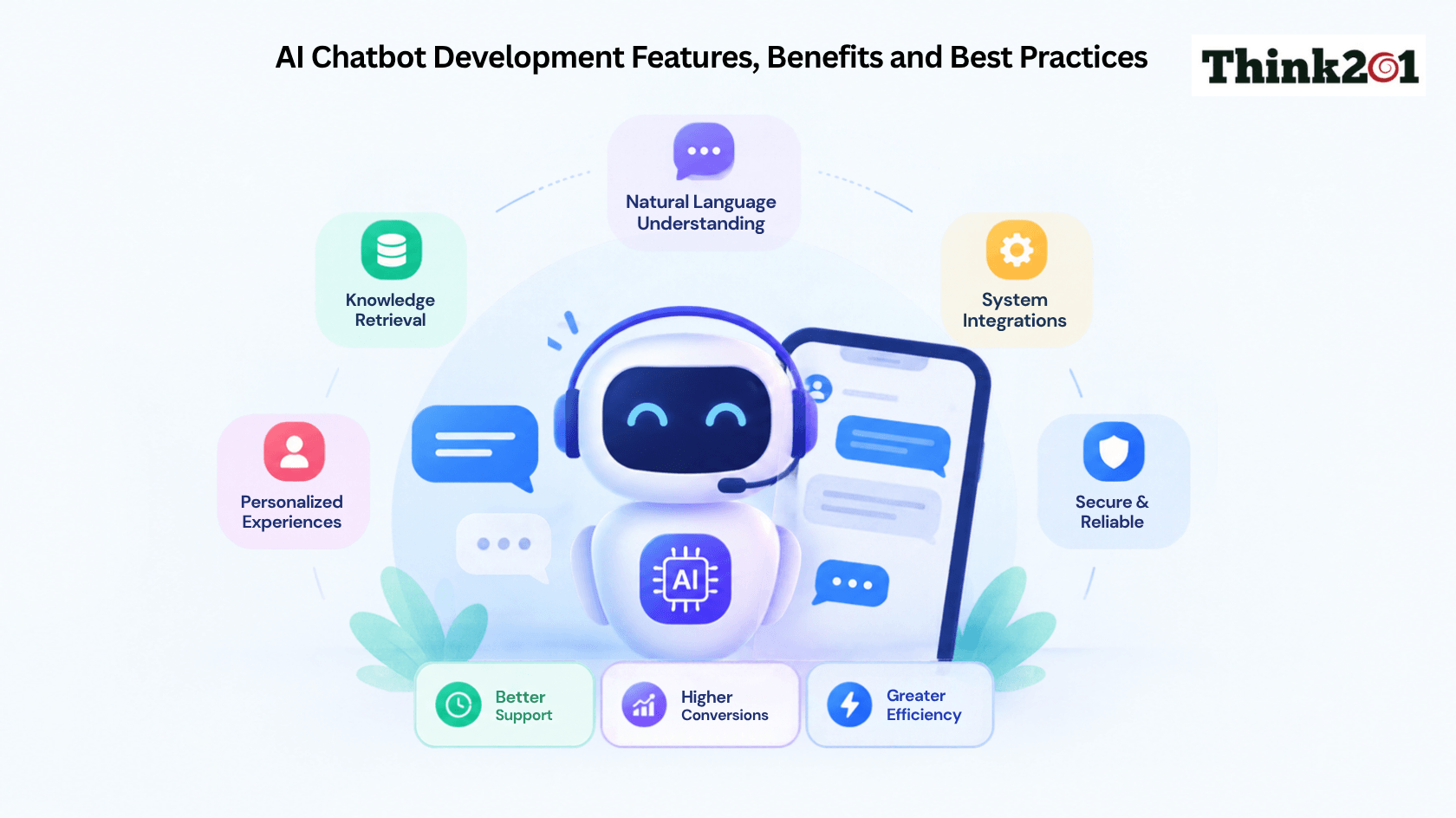
What Is an AI Chatbot?
An AI chatbot is a software application that uses artificial intelligence to communicate with users through text, voice, or other inputs. Unlike basic rule-based chatbots that follow fixed conversation paths, AI chatbots can understand different ways of asking the same question, use conversation context, retrieve information, and generate responses.
For example, a customer might ask, “Where is my order?” A basic chatbot may provide a general tracking link. An AI chatbot can understand the request, connect to the order system, check the latest status, and provide a relevant response.
Modern AI chatbots can also work across websites, mobile applications, messaging platforms, and internal business tools. Depending on the use case, they can answer questions, recommend products, collect information, schedule appointments, create support tickets, or help employees find company information.
Why Is AI Chatbot Development Important for Businesses?
Customers expect quick and convenient support. Waiting for an email response or staying on hold for a simple question can lead to a poor experience.
AI chatbots help businesses respond to common requests at any time. They can also handle multiple conversations at once, allowing human teams to focus on cases that require judgment or personal attention.
The value is not limited to customer support. Businesses can use chatbots to qualify leads, assist sales teams, support employees, guide users through websites, and automate repetitive workflows.
However, simply adding a chatbot does not guarantee better results. The chatbot needs to solve a real problem, provide useful answers, and offer a clear path to human support when it cannot help. Current chatbot development guidance also emphasizes measurable goals, trusted data, integrations, testing, and continuous improvement.
Key Features of AI Chatbots
The right features depend on the business use case. However, several capabilities are becoming important in modern AI chatbot development.
1. Natural Language Understanding
AI chatbots should understand the meaning behind a user’s message instead of depending only on exact keywords. Natural language processing helps identify user intent, important details, and the context of a conversation.
This allows users to communicate naturally instead of learning specific commands.
2. Context and Conversation Memory
A useful chatbot should remember relevant information from the current conversation. For example, if a user first asks about a product and then asks, “How much is shipping?”, the chatbot should understand which product they mean.
Context makes conversations smoother and reduces the need for users to repeat themselves.
3. Knowledge Retrieval
Businesses often need chatbots to answer questions using their own information. A chatbot can connect with FAQs, product information, policies, documents, knowledge bases, or other approved sources.
Retrieval-Augmented Generation allows a chatbot to retrieve relevant information before generating an answer. This can be especially useful when information is private, domain-specific, or frequently updated.
4. Business System Integration
An advanced chatbot should do more than answer questions. It can connect with systems such as CRM platforms, helpdesks, ecommerce systems, booking tools, databases, and internal applications.
For example, a customer service chatbot could check an order, while an internal chatbot could search company policies.
5. Human Handoff
No chatbot can handle every situation. A good system should recognize when it needs help and transfer the conversation to a human agent.
The handoff should preserve useful context, such as the user’s question, previous messages, and actions already completed. This prevents the customer from having to start over.
6. Multilingual and Multichannel Support
Businesses serving different markets may need chatbots that support multiple languages. They may also want the same chatbot experience across websites, apps, messaging platforms, and other channels.
The interface should adapt to each channel rather than copying the same conversation everywhere.
7. Analytics and Monitoring
Analytics help businesses understand how people use the chatbot. Important data can include conversation volume, resolution rate, escalation rate, response time, user feedback, errors, and business conversions.
This information helps teams identify areas that need improvement.
Benefits of AI Chatbot Development
1. 24/7 Customer Support
AI chatbots can respond outside normal business hours. Customers can get answers to common questions without waiting for an agent.
This is especially useful for businesses that serve customers across different time zones.
2. Faster Responses
A chatbot can respond to common questions within seconds. Faster responses can improve the overall customer experience and reduce unnecessary support queues.
3. Lower Repetitive Work
Support teams often spend significant time answering the same questions. A chatbot can handle many repetitive requests and allow employees to focus on more complex issues.
4. Better Lead Generation
AI chatbots can ask qualifying questions, collect contact details, recommend relevant services, and guide prospects toward the next step.
For sales teams, this can turn website conversations into useful business opportunities.
5. Personalized Experiences
When connected to approved customer information, AI chatbots can provide more relevant responses. They may use information such as previous interactions, preferences, or account details to make conversations more useful.
Personalization should always follow appropriate privacy and access controls.
6. Improved Scalability
How many conversations can I have with a human? Humans can only balance a limited number of conversations at a time. AI can hold many conversations at the same time, helping you through busy times and when growing your business.
7. Consistent Communication
A good chatbot can give consistent answers by drawing from trusted business content. This reduces the variation in how repetitive questions are answered.
How to Build an AI Chatbot
If you are wondering how to build an AI chatbot, the process should start with the business problem rather than the technology.
Step 1. Define the Goal
First, identify what the chatbot needs to achieve.
It could be designed to answer customer questions, qualify leads, track orders, book appointments, support employees, or automate a specific workflow.
Keep the first use case focused. A narrow chatbot is easier to build, test, measure, and improve.
Step 2. Identify Users and Channels
Understand who will use the chatbot and where they will interact with it.
A website chatbot may work well for visitors and customers. A mobile chatbot can use signed-in account information. Internal employees may benefit from integrations with workplace platforms.
Channel selection also affects authentication, privacy, interface design, and human handoff.
Step 3. Prepare the Data
Identify the information the chatbot needs to answer questions or complete tasks.
This could include FAQs, product catalogs, support documents, policies, CRM information, or internal knowledge bases.
Data should be reviewed before it is connected to the chatbot. Outdated or conflicting information can lead to poor answers.
Step 4. Choose the Right Technology
The technology stack depends on the chatbot’s requirements.
A simple chatbot may use a conversational platform. More advanced solutions may use LLMs, NLP, RAG, APIs, databases, vector search, and custom application logic.
Businesses should evaluate technologies based on their actual use cases, accuracy, security, cost, response speed, integrations, and long-term requirements rather than choosing a model simply because it is popular.
Step 5. Design the Conversation
Create the main conversation paths before development.
This includes thinking of common questions, optional information, INS, unverified questions, BRI, errors, and human escalation.
Give the chatbot a relevant greeting and introduce what it can do. Shorter messages and simple, quick buttons are easier to use, especially if people are on a mobile device.
Step 6. Develop and Integrate
Create the chatbot and establish the integrations needed.
Other examples include: A customer care chatbot may integrate with a CRM and helpdesk. An ecommerce chatbot may integrate with product, inventory, and order systems.
Make sure each integration has the right permissions, input validation, security controls, and error handling.
Step 7. Test Before Launch
Testing should cover more than whether the chatbot gives a response.
Test common questions, unclear requests, spelling mistakes, unexpected inputs, outdated information, integration failures, security issues, and situations that require human support.
User testing is also important because real users may interact with the chatbot in ways the development team did not expect.
Step 8. Monitor and Improve
Starting the bot is just the beginning.
Review interactions, responses, escalations, feedback, and business metrics. Look for trends and use new information to continually improve your chatbot.
Think of your chatbot as a product that continually develops as your users’ expectations and business knowledge change.
Best Practices for AI Chatbot Development
Following a few practical best practices can make a major difference in chatbot performance.
Start with a real business problem. Do not build a chatbot simply because AI is popular. Identify a task where automation can create measurable value.
Keep conversations simple. Users should understand what the chatbot can do without reading long instructions. Short messages and clear options make conversations easier to follow.
Be transparent. Let users know they are interacting with an AI chatbot. This sets the right expectations and builds trust.
Create useful fallback responses. Instead of repeatedly saying that the chatbot does not understand, ask a focused question, provide relevant options, or offer human support.
Protect user data. Use authentication, access controls, secure integrations, and appropriate data-handling practices, especially when the chatbot works with personal or business information.
Measure the right KPIs. Depending on the use case, track resolution rate, task completion, lead generation, customer satisfaction, escalation rate, response time, and cost per conversation.
Keep the knowledge current. A chatbot is only as useful as the information it can access. Regularly review and update connected knowledge sources.
Plan human support from the beginning. Human handoff should be part of the chatbot architecture rather than an afterthought.
Common Challenges in AI Chatbot Development
AI chatbot development also comes with challenges. One major issue is inaccurate or unsupported responses. This is why trusted data, retrieval systems, testing, and clear response boundaries are important.
Integration can also become complex when a chatbot needs to work with multiple business systems. Security and access control become even more important when the chatbot can retrieve private information or perform actions.
Another challenge is user experience. A technically advanced chatbot can still fail if conversations are confusing, responses are too long, or users cannot easily reach a human.
These challenges can be reduced through careful planning, testing, monitoring, and continuous improvement.
Why Work With an AI Chatbot Development Company?
Existing chatbot platforms are suitable for basic use cases. Custom requirements for deeper integrations, custom workflows, access to private data, RAG, analytics, security controls, and a customized experience.
With an AI chatbot development company, you will have the support and guidance on chatbot strategy, architecture, conversation design, technology, development, integrations, testing, launch, and continuous improvement.
With professional AI chatbot development services, you can even integrate the chatbot with other systems rather than viewing it as a distinct application.
Your ideal development partner will need to understand the technology and the problem. You don’t want to be the most advanced chatbot. You want to be the most consistent solution that solves a particular problem and can scale with your business.
Final Thoughts
AI chatbot development is moving beyond simple automated replies. Modern chatbots can understand natural language, retrieve business information, connect with software systems, personalize conversations, and complete specific tasks.
However, successful chatbot development is not about choosing an AI model. Businesses need a clear goal, reliable data, thoughtful conversation design, secure integrations, strong testing, useful fallback options, and continuous monitoring.
If you are planning to build an AI chatbot, start with one valuable business problem and expand from there. A focused and well-tested chatbot can deliver better results than a complex system that tries to do everything at once.
Think201 helps businesses turn AI ideas into practical digital solutions through thoughtful strategy, development, integrations, and user-focused experiences. If you are planning an AI chatbot for customer support, sales, internal operations, or automation, connect with Think201 to discuss your AI chatbot development requirements.
Frequently Asked Questions
What is AI chatbot development?
AI chatbot development is the process of designing, building, integrating, testing, and improving an AI-powered chatbot that can understand users and respond to questions or perform business tasks.
How long does it take to develop an AI chatbot?
The timeline depends on the chatbot’s complexity, data sources, integrations, channels, security requirements, and testing needs. A small prototype can be built faster than a production chatbot with custom workflows and multiple integrations.
How much does AI chatbot development cost?
The cost depends on features, development effort, AI model usage, integrations, hosting, security, maintenance, and the number of users. A clear scope is needed before giving a reliable estimate.
Can AI chatbots integrate with existing business systems?
Yes. AI chatbots can connect with CRM, helpdesk, e-commerce, booking, databases, knowledge bases, and other systems through APIs or other integration methods.
Should an AI chatbot replace human support?
Not always. The best approach for many businesses is a combination of AI and human support. The chatbot can handle routine requests while human agents manage complex, sensitive, or high-value conversations.
Sources Referred
https://www.chatbot.com/chatbot-best-practices